MTD Second Quarterly Update Deadline: What Sole Traders and Landlords Must Submit by 7 November 2026
A practical guide to the second Making Tax Digital quarterly update, the records it covers and what to do if you missed the first deadline.
Making Tax Digital for Income Tax is now operating for eligible sole traders and landlords. If you joined the system from April 2026, your next important date is approaching.
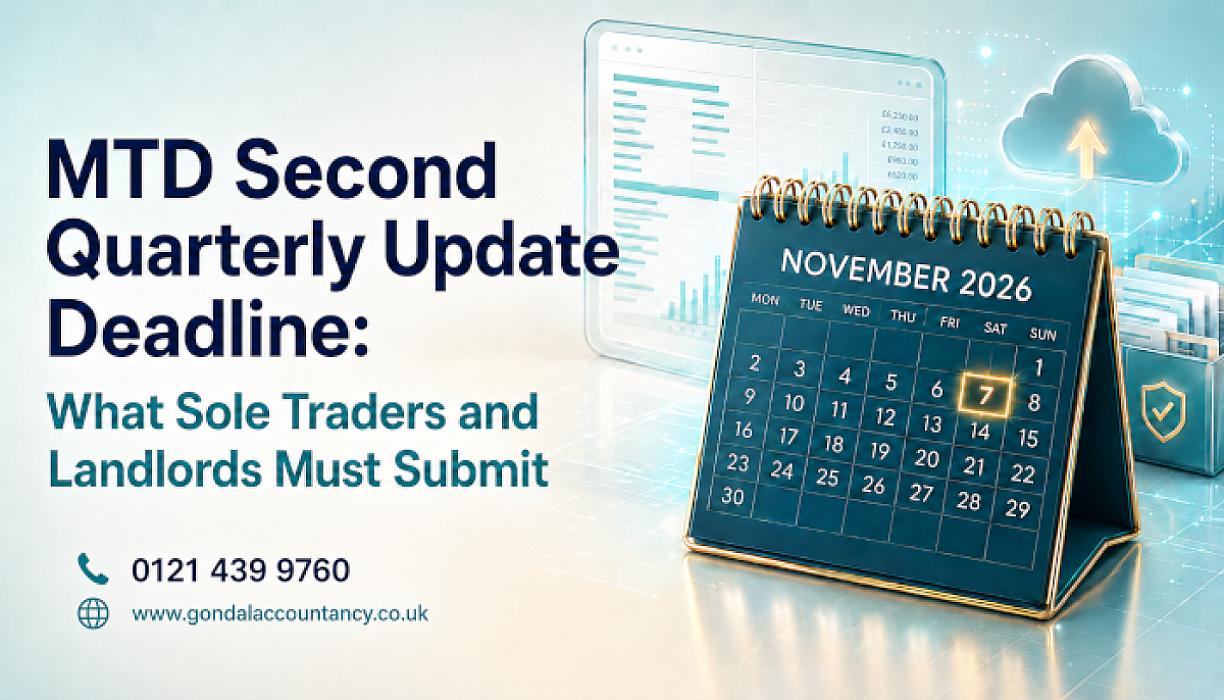
The second MTD quarterly update must normally be submitted to HMRC by 7 November 2026.
This update brings together your digital income and expense records from the beginning of the tax year to the end of the second update period. It is not a tax return, and it does not normally require you to pay tax when it is submitted.
However, you must use compatible software, keep appropriate digital records and send a separate update for each self-employment or property business covered by Making Tax Digital.
What is the second MTD quarterly update deadline?
The deadline for submitting the second Making Tax Digital quarterly update for the 2026/27 tax year is:
7 November 2026
The period covered depends on whether you use standard or calendar update periods.
Standard update period
If your accounting period follows the usual tax year, your second update covers:
6 April 2026 to 5 October 2026
Calendar update period
If you use calendar update periods, your second update covers:
1 April 2026 to 30 September 2026
The submission deadline is 7 November 2026 in both cases.
HMRC confirms that quarterly updates are cumulative. This means the second update includes your records from the beginning of the tax year to the end of the second update period—not only the transactions from the most recent three months.
You can read the official dates and requirements in HMRC’s quarterly-update guidance.
Who must submit the second quarterly update?
You will generally need to use Making Tax Digital for Income Tax from April 2026 if you:
- are an individual registered for Self Assessment;
- receive income from self-employment, property or both;
- submitted a Self Assessment tax return for the relevant earlier year; and
- had qualifying gross income of more than £50,000.
Qualifying income generally means your combined gross income from self-employment and property before expenses are deducted.
For example, you may come within the rules if you receive:
- £35,000 in gross sole-trader income; and
- £20,000 in gross rental income.
Although neither source exceeds £50,000 on its own, the combined qualifying income is £55,000.
Employment income, dividends, pensions and savings interest do not normally count towards the MTD qualifying-income threshold. However, they may still need to be included when your final tax position is calculated.
If you are uncertain whether the rules apply, Gondal Accountancy can review your income sources and help you determine your Making Tax Digital obligations.
What information is included in the second MTD update?
The update contains totals taken from the digital records maintained in your compatible software.
Depending on your circumstances, this can include:
- self-employment sales and other business income;
- rental income;
- stock and material costs;
- staff and subcontractor costs;
- vehicle and travel expenses;
- rent, utilities and premises costs;
- repairs and maintenance;
- professional fees;
- advertising and marketing;
- finance charges;
- property expenses; and
- other allowable business expense categories.
HMRC does not normally receive copies of every individual receipt or invoice through the quarterly update. Instead, your software sends totals for the relevant income and expense categories.
You should still keep the supporting invoices, receipts, statements and other records required to demonstrate how those totals were calculated.
Do you need to make tax adjustments before submitting?
HMRC states that quarterly updates are summaries rather than completed tax returns.
You do not normally need to make accounting or tax adjustments before sending the update. Adjustments for matters such as capital allowances, private use, reliefs and final year-end corrections are usually dealt with when completing the final tax return process.
Nevertheless, the underlying digital records should be complete and reasonably accurate. Regularly submitting unreliable figures can create additional work and make the eventual tax calculation less dependable.
Before submitting, it is sensible to check:
- that all business bank transactions have been recorded;
- that sales invoices and other income are complete;
- that expenses have been allocated to appropriate categories;
- that personal transactions have not been included as business expenses;
- that rental income has been recorded for each relevant property business;
- that duplicate transactions have been removed;
- that cash transactions are included; and
- that corrections from the first update period have been entered.
Do you need to submit an update if there was no income?
Yes. HMRC says that you must still send a quarterly update where there was no income or expenditure during the latest update period.
Your software should allow you to submit the appropriate figures or confirm that no relevant transactions were recorded.
Do not simply ignore the deadline because the business was temporarily inactive or a rental property was empty.
What if you have more than one business or rental property?
You normally need to send quarterly updates for each source of self-employment and property business covered by Making Tax Digital.
For example, separate reporting requirements may arise where you have:
- two different sole-trader businesses;
- a sole-trader business and UK property income;
- UK and overseas property income; or
- several income sources maintained separately within your software.
Your accounting software and record-keeping structure should distinguish between the different businesses and property-income sources.
If your records have been combined incorrectly, it is better to reorganise them before the 7 November deadline rather than leaving the problem until the end of the tax year.
What if you missed the first MTD quarterly update?
The first quarterly update deadline was 7 August 2026.
If you missed it, take action as soon as possible:
- Check that you are properly signed up for Making Tax Digital for Income Tax.
- Confirm that your accounting software is compatible with HMRC.
- Complete your digital records from the beginning of the tax year.
- Check your software for any overdue first-update obligation.
- Submit outstanding information in the order required by the software.
- Prepare the second cumulative update before 7 November 2026.
- Keep confirmation that each submission was accepted by HMRC.
Do not assume that the second update automatically removes every outstanding requirement from the first deadline. Check the status shown by your software or HMRC account and obtain professional advice where necessary.
You can also read our guide on what to do if you missed the first MTD quarterly update.
Will HMRC issue a penalty for a late quarterly update?
HMRC has confirmed that it will not apply penalty points for late quarterly updates during the 2026/27 tax year.
This provides some protection during the first mandatory year, but it does not mean quarterly updates are optional.
You must still:
- maintain digital records;
- send the required quarterly updates;
- correct incomplete or inaccurate records;
- use compatible software; and
- complete the required updates before submitting your final tax return.
Penalty points are expected to apply to late quarterly updates after the 2026/27 tax year. Under the points-based system, repeated failures can eventually result in a £200 penalty.
Different rules can apply to late tax returns and late payment of tax, so the temporary protection for quarterly updates should not be treated as protection from every HMRC penalty.
Does submitting an MTD update mean tax must be paid?
No. The quarterly update is not normally a payment deadline.
After submitting, your software or HMRC online account may show an estimated tax position based on the information available. This can help you understand how much tax you may need to set aside.
The estimate may not be final because it might not yet include:
- employment income;
- dividends;
- savings interest;
- capital gains;
- pension income;
- reliefs and allowances;
- private-use adjustments; or
- year-end accounting adjustments.
Your final tax liability is calculated when all relevant income, gains, reliefs and adjustments are included in the tax return process.
MTD checklist before 7 November 2026
Use this checklist before submitting the second update:
- Confirm that Making Tax Digital applies to you.
- Check that your MTD registration is active.
- Confirm that your software is connected to HMRC.
- Reconcile business and property bank accounts.
- Enter missing sales, rental income and other receipts.
- Record cash transactions.
- Categorise business and property expenses.
- Remove personal or duplicate transactions.
- Correct errors identified after the first update.
- Check each separate business or property-income source.
- Review the totals produced by your software.
- Submit the update before 7 November 2026.
- Save the HMRC submission confirmation.
Can an accountant submit the MTD update for you?
An authorised accountant can help manage your Making Tax Digital obligations, including reviewing digital records and submitting updates through compatible software.
Gondal Accountancy can help with:
- checking whether Making Tax Digital applies;
- reviewing combined self-employment and property income;
- setting up Xero, QuickBooks, FreeAgent or other compatible software;
- organising digital bookkeeping records;
- reconciling bank transactions;
- checking income and expense categories;
- preparing quarterly updates;
- correcting earlier record-keeping errors; and
- completing your annual Self Assessment tax return.
Our Making Tax Digital accountants support sole traders, landlords and small businesses in Birmingham and across the UK.
We also provide dedicated support through our:
- sole trader accountants;
- landlord accountants;
- bookkeeping services; and
- Self Assessment accountants.
Frequently asked questions
When is the second MTD quarterly update due?
The second quarterly update for the 2026/27 tax year must normally be submitted by 7 November 2026.
What period does the second quarterly update cover?
For standard periods, it covers 6 April to 5 October 2026. For calendar periods, it covers 1 April to 30 September 2026.
Is the second update only for the most recent three months?
No. HMRC states that each quarterly update is cumulative and covers the period from the beginning of the tax year to the end of the relevant update period.
Is an MTD quarterly update the same as a tax return?
No. It is a summary of income and expense totals taken from your digital records. The final tax return process includes other income, adjustments, allowances and reliefs.
Do I have to pay tax on 7 November 2026?
The quarterly-update deadline is not normally a tax-payment deadline. Your usual Self Assessment tax-payment obligations continue to apply.
What happens if I missed the first MTD deadline?
Check your software and HMRC account, complete the missing digital records and submit any outstanding update as soon as possible. Then prepare the second update before 7 November 2026.
Are there penalties for late MTD updates in 2026/27?
HMRC will not apply penalty points for late quarterly updates during 2026/27. However, the updates are still mandatory and must be completed before the tax return can be submitted.
Get help with your second MTD quarterly update
If your bookkeeping is incomplete, your software is not connected correctly or you missed the first deadline, do not wait until November.
Gondal Accountancy can review your digital records, identify missing information and help prepare your second quarterly update before the deadline.
Call 0121 439 9760 or book a free consultation to discuss your Making Tax Digital requirements.
Disclaimer
This article provides general information only and should not be treated as tax, accounting, legal or financial advice. Making Tax Digital rules and HMRC guidance may change, and the correct treatment will depend on your individual circumstances. You should obtain professional advice before making decisions or submitting information to HMRC.
Disclaimer
The content of this blog is provided for general information purposes only and should not be treated as tax, accounting, legal or financial advice. Tax rules, accounting requirements, legislation, regulations and official guidance can be complex and may change over time. As a result, some information in this article may become outdated, incomplete or no longer applicable after the date of publication.
The application of any tax, accounting or legal rule will depend on your individual or business circumstances. Before making any decision or taking any action based on the information in this article, you should seek advice from a suitably qualified tax professional, accountant, solicitor or financial adviser.
Gondal Accountancy and its staff accept no responsibility or liability for any loss, action taken, or decision made or not made as a result of relying on the information contained in this blog.