How to Pay Your Self Assessment Tax Bill (and What to Do If You Can't Pay)
Payment methods, your UTR payment reference and HMRC Time to Pay plans for the 31 January 2027 deadline.
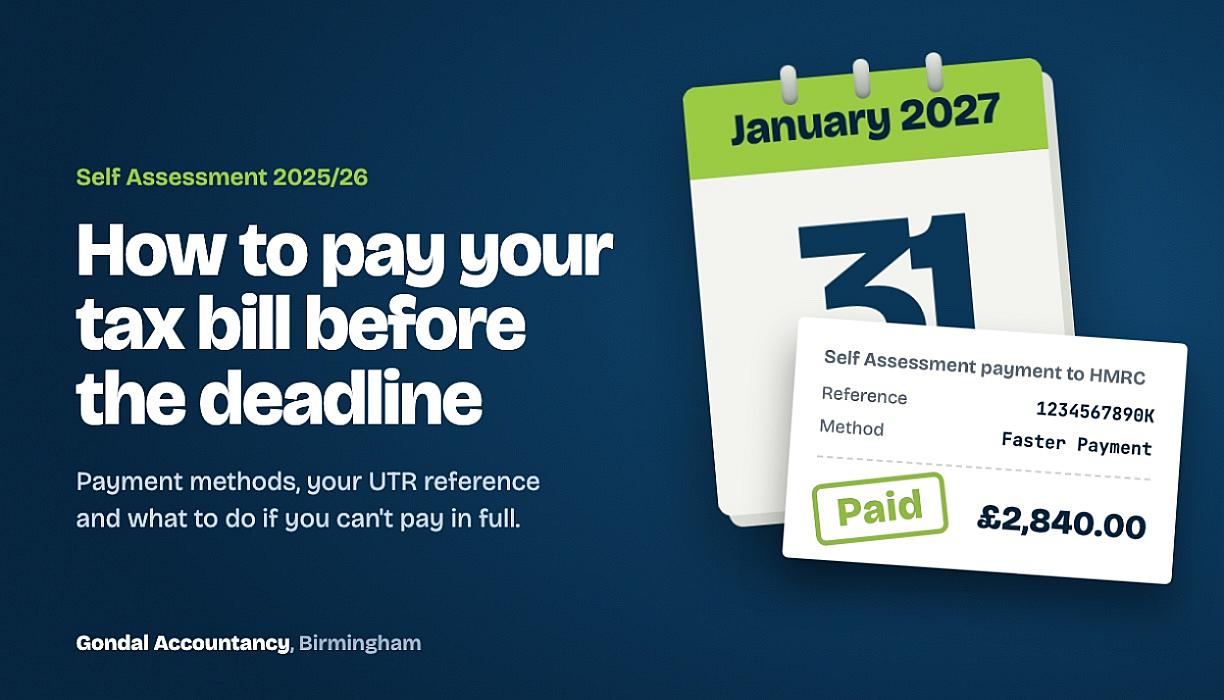
Your 2025/26 Self Assessment tax bill must reach HMRC by 31 January 2027. The quickest ways to pay are online or telephone banking (Faster Payments usually arrive the same or next day) or by approving a payment through your bank in your HMRC online account. Always use your 11-character payment reference: your 10-digit UTR followed by the letter K. If you cannot pay in full, file your return on time anyway and set up an HMRC payment plan, known as Time to Pay.
When is the Self Assessment tax bill due?
| Date | What you pay |
|---|---|
| 31 January 2027 | Any tax still owed for 2025/26 (the balancing payment), plus your first payment on account for 2026/27 if one applies |
| 31 July 2027 | Your second payment on account for 2026/27, if one applies |
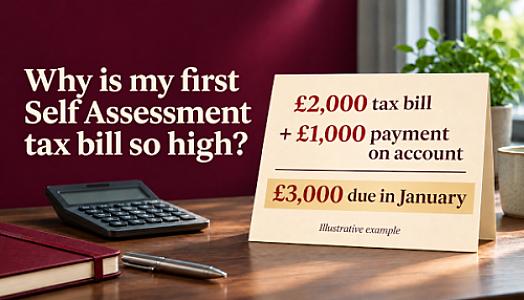
Payments on account are advance payments towards next year's bill, each normally half of last year's tax. They catch out a lot of people in their first year. Our guide on why your first Self Assessment bill is so high explains how they work.
How do I pay my Self Assessment tax bill?
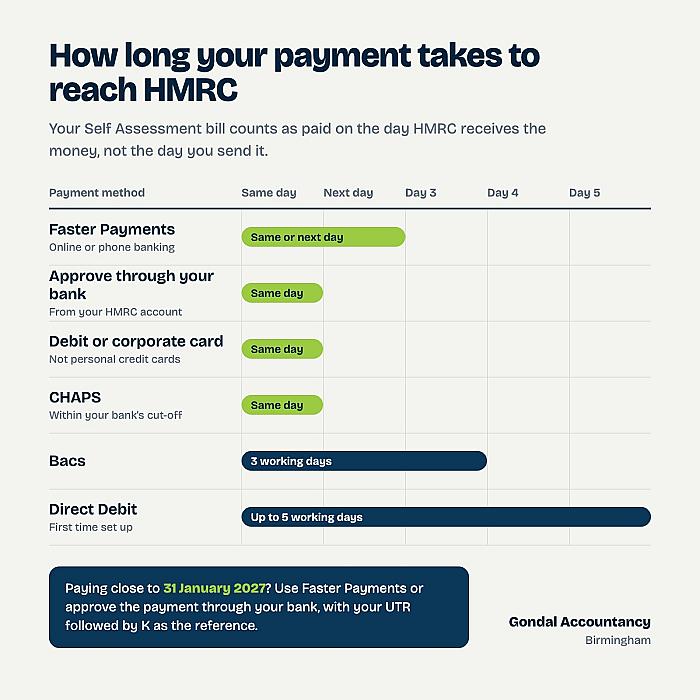
These are the main ways to pay, and how long each one takes to reach HMRC:
| Payment method | How long it takes | Good for |
|---|---|---|
| Online or telephone banking (Faster Payments) | Usually the same or next day, including weekends | Paying close to the deadline |
| CHAPS | Same working day, within your bank's cut-off | Large payments on the day |
| Approve a payment through your bank (HMRC online account or app) | Usually the same day | No bank details to type in |
| Debit card or corporate credit card online | Usually the same day | Quick one-off payments (personal credit cards are not accepted) |
| Bacs | Usually 3 working days | Paying a few days early |
| Direct Debit | Up to 5 working days the first time you set one up | Planning ahead and future bills |
If 31 January falls on a weekend or bank holiday, make sure your payment reaches HMRC on the last working day before it, unless you use Faster Payments, which also clear at weekends.
What is my Self Assessment payment reference?
Your payment reference is your 10-digit Unique Taxpayer Reference (UTR) followed by the letter K, for example 1234567890K. You will find your UTR in your HMRC online account, the HMRC app, or on letters from HMRC such as your notice to file. A wrong reference is the most common reason a payment is not matched to your account, which can lead to reminders and penalties even though you paid. See our guide to finding your UTR number if you cannot find it.
Where are HMRC's bank details for Self Assessment?
HMRC publishes the account to pay into on its Self Assessment bank transfer page, along with separate details for overseas payments. Copy them from GOV.UK each time rather than from an old email or text: HMRC never asks you to pay into a personal account, and fake "HMRC" messages with different bank details are common around the January deadline. We also keep direct links on our HMRC Self Assessment payments page.
What if I cannot pay my tax bill by 31 January?
File your return by 31 January even if you cannot pay. Filing late adds a £100 penalty on top of the tax, and you need to have filed before you can set up a payment plan.
Then contact HMRC about a Time to Pay arrangement. If you owe £30,000 or less, you can usually set one up online through your HMRC account, without phoning, and spread the bill over monthly instalments. If you owe more, or need longer to pay, you can still apply but must contact HMRC directly. Interest is charged on the unpaid tax for the length of the plan, but setting it up promptly means you avoid late payment penalties as long as you keep to the payments.
HMRC's pay weekly or monthly page has an eligibility checker. Set the plan up as soon as you know you cannot pay: the longer you leave it, the more interest and penalties build up.
What happens if I pay my tax bill late?
For 2025/26 Self Assessment bills, HMRC charges:
- Interest from 1 February 2027 on any tax not paid, at the Bank of England base rate plus 4%
- 5% of the unpaid tax if it is still unpaid 30 days after the deadline
- A further 5% if it is still unpaid after 6 months
- A further 5% if it is still unpaid after 12 months
These late payment penalties are separate from late filing penalties, which start at £100. An agreed Time to Pay plan stops further late payment penalties as long as you keep to it. If you have missed the filing deadline as well, see our late tax return help for the full penalty breakdown.
Can I pay my tax bill through my tax code instead?
Sometimes. If you owe less than £3,000, already pay tax through PAYE as an employee or pensioner, and filed your return online by 30 December, HMRC can usually collect the tax through your tax code over the following tax year instead of you paying in January. The 30 December 2026 date has to be met for 2025/26 bills, so this option closes before the January rush.
How can I make next year's bill easier?
- Use a Budget Payment Plan. Set up a regular Direct Debit in your HMRC account and the payments build up towards your next bill.
- Put tax aside as you earn. Many self-employed people move a fixed share of every payment into a separate savings account.
- File early. Filing in the autumn tells you exactly what is due in January, months before you have to pay it.
- Check your payments on account. If your income has fallen, you can ask HMRC to reduce them, but you will pay interest if you reduce them too far.
Frequently asked questions
Can I pay my Self Assessment bill with a credit card?
Not with a personal credit card. HMRC accepts debit cards and corporate credit cards online. You can pay by personal debit card, bank transfer, approving a payment through your bank, or Direct Debit.
How do I know HMRC has received my payment?
Check your HMRC online account or the HMRC app. Payments can take a few working days to show, depending on how you paid.
Do I still need to file if I cannot pay?
Yes. Filing and paying are separate. File by 31 January to avoid the £100 late filing penalty, then set up a payment plan for the tax.
Can an accountant set up a payment plan for me?
An accountant authorised as your agent can deal with HMRC on your behalf, including discussing Time to Pay. Our Self Assessment accountants in Birmingham can prepare and file your return, tell you exactly what you owe and help you plan how to pay it.
Need help before 31 January?
If you have not filed yet, or you are worried about the bill, speak to our team. We prepare and file Self Assessment returns for a fixed fee agreed before we start, for clients in Birmingham and across the UK, and the first consultation is free. Call 0121 439 9760 or send us an enquiry.
Sources: GOV.UK, "Pay your Self Assessment tax bill" (overview, bank transfer, pay weekly or monthly, Direct Debit and through your tax code pages), "Self Assessment tax returns: penalties" and HMRC's January payment plan announcements, checked 29 November 2026.
Disclaimer
The content of this blog is provided for general information purposes only and should not be treated as tax, accounting, legal or financial advice. Tax rules, accounting requirements, legislation, regulations and official guidance can be complex and may change over time. As a result, some information in this article may become outdated, incomplete or no longer applicable after the date of publication.
The application of any tax, accounting or legal rule will depend on your individual or business circumstances. Before making any decision or taking any action based on the information in this article, you should seek advice from a suitably qualified tax professional, accountant, solicitor or financial adviser.
Gondal Accountancy and its staff accept no responsibility or liability for any loss, action taken, or decision made or not made as a result of relying on the information contained in this blog.